You can build a complete personal trainer website in about an hour by describing each section in plain English to an AI page builder — no code, no drag-and-drop, no designer. Below is the full playbook: the seven sections a trainer’s site actually needs, the exact prompts that build each one (copy and paste them), what it costs compared to hiring it out, and answers to the questions trainers ask most.
Why most personal trainers still don’t have a real website
I want you to count the hours you spent in DMs last week. Answering “what are your rates?” for the fortieth time. Chasing a lead who ghosted after you typed out your whole program. Booking, rescheduling, re-rescheduling — all in a chat thread that also contains memes. You’re a full-time coach and a part-time receptionist, and the receptionist works for free.
Here’s the trap: trainers built their businesses on Instagram, so Instagram feels like the business. But your reach is whatever the algorithm decides this month, your “website” is a link-in-bio page with six buttons, and every new client starts as a DM conversation you have to win by hand. Meanwhile the agency quote to fix it came back at $3,000-plus, and the DIY builders want your evenings — the two hours a day you already give to client check-ins and programming.
And while all that’s happening, someone in your city is typing “personal trainer near me” into Google — or asking ChatGPT who can help them lose thirty pounds before a wedding. The trainer who wins that moment is the one with a real site: programs laid out, transformations visible, credentials stated, and a “book a free consult” form that works while you’re mid-session. Followers are rented. A client pipeline is owned. In 2026, the site that owns it takes an afternoon.
Can AI really build a personal trainer website?
Yes — and you already have the only skill it requires, because you spend all day explaining things in plain English. Designer Talk is an AI page builder that lets you build WordPress pages by describing them in plain English — no drag-and-drop, no design skills. You describe a section the way you’d describe it to a client — “dark hero, big headline about strength after 40, one button that books a consult” — and it appears in a live preview. Too corporate? Say so. Want the consult button bigger? Say that. Each section is its own conversation, so you refine one piece at a time without breaking the rest.
The result is a real WordPress site on your own domain. Not a link-in-bio page, not a profile the algorithm can bury — a home base you own, where every Instagram post can finally send people.
Get started with Designer Talk today and build along as you read — every prompt below is copy-paste, and the whole build is an afternoon.
“A trainer’s website has one job: turn ‘I should really do something’ into a booked consult before the feeling passes.”— Vincent Jordan
What does a personal trainer website actually need?
Not twenty pages. Seven sections, in this order. This is the anatomy of a trainer site that books consults, and each one maps to a section type Designer Talk builds:
| # | Section | Why it matters for a trainer |
|---|---|---|
| 1 | Header with a “Free Consult” button | You’re not selling sessions from a menu — you’re selling a first conversation. That button rides along on every scroll. |
| 2 | Hero with the transformation promise | Who you coach and what changes: “Strength coaching for busy professionals over 40.” Specific beats everything. |
| 3 | Programs, not a price menu | 1-on-1, small group, online coaching — three clear doors. Fifteen options is how you lose someone who was ready. |
| 4 | Transformation gallery | Before-and-afters with a sentence of story each. For trainers this is THE deciding section — proof the promise is real. |
| 5 | Credentials & method | Certifications plus how you actually coach. This sells the two things clients silently worry about: safety and being judged. |
| 6 | Testimonials with numbers | “Lost 28 lbs in five months” beats “great trainer, would recommend” every single time. Numbers and first names. |
| 7 | Consult form + free-week popup | A short form that books the conversation, and a popup offering a free first week or assessment to catch the fence-sitters. |
That’s the whole site. One page, seven sections, doing the work your DMs do now — except it never sleeps, never loses a thread, and never answers “what are your rates?” with a typo.
The exact prompts to type (copy and paste these)
These are real prompts, in build order, for a fictional coach — Summit Strength Coaching in Denver, Colorado. Swap in your name, your city, your niche, and your numbers, and type them into Designer Talk one at a time. Your results won’t look like anyone else’s — the AI designs each section fresh — but they’ll match what you asked for.
Two things before you type the first one. First, open Brand Settings and set your colors and font once — every section after that comes out already matching, so none of these prompts mention colors at all. Second, photos never go in section prompts: the layout builds with placeholders, and photos come from the built-in AI image generator (the + button in the section chat) or your own uploads. I’ll show you both below.
Create a sticky header for Summit Strength Coaching — links to Programs, Results, About, and Contact, and a Book a Free Consult button on the right. Dark, strong, athletic feel.
Create a hero section for Summit Strength Coaching in Denver — headline Get Strong for Life, Coaching for Busy Professionals, a subline that we coach in person in Denver and online anywhere, and one big Book My Free Consult button that scrolls to the contact form.
Now the hero photo. Hit the + button in the section chat, choose Generate Image, and describe the shot:
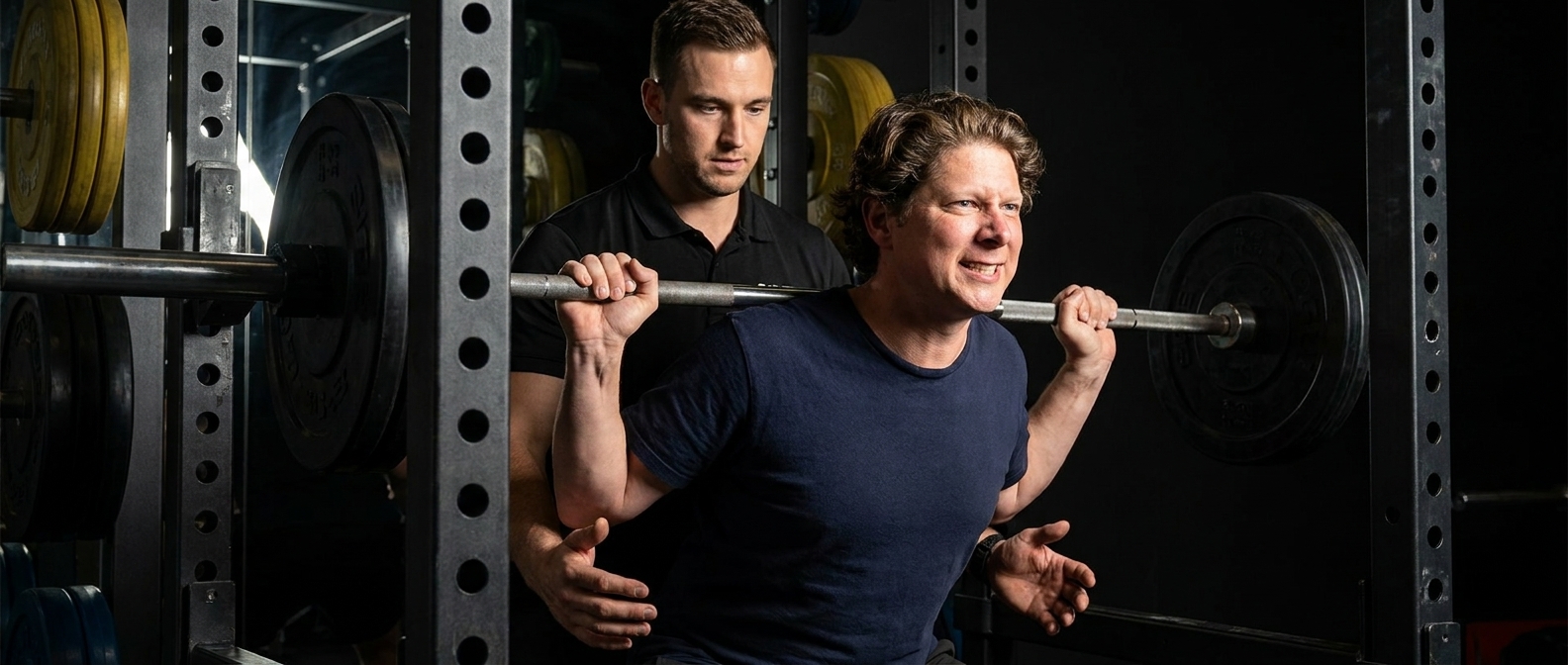
A personal trainer coaching a client through a barbell squat in a modern gym, dark moody lighting, focused and intense.
It saves straight to your Media Library. Click Insert on the image and tell the section “use this as the hero background” — done.
Create a programs section with three cards: 1-on-1 Personal Training, Small Group Training (max 4 people), and Online Coaching with weekly check-ins. Each card gets an icon, two sentences on who it’s for, and a “Start here” link. No prices on the cards — the consult is where we talk numbers.
Create a results section called Real Clients, Real Results — a grid of six before-and-after pairs, each with a first name and one line of story like “Mark, 47 — down 30 lbs and off blood pressure meds in 8 months.” Add a note at the bottom that results are from consistent clients.
This one builds with placeholder images on purpose — the photos here have to be your real clients. Hit +, upload each before-and-after from your phone, click Insert, and tell the section which slot it goes in. (Get written permission from every client first — you knew that, but I’m saying it anyway.)
Create an about section for head coach Dana Ruiz, NASM-certified with 10 years of coaching experience — explain our method in three steps: Assess, Build, Adjust. Friendly but expert tone, no drill-sergeant clichés.
Create a testimonials section with five client quotes with real numbers and timeframes, first names and ages, star ratings, and a 5.0 Google rating badge. Make one about being nervous to start.
Create a contact section with the headline “Book Your Free Consult — 20 minutes, zero pressure” — short form with name, phone, and a main goal dropdown, our phone number (720) 555-0146 next to it. Then add a popup offering a free movement assessment, one email field, showing once after 20 seconds.
Seven short prompts. Read them back — there’s nothing technical in a single one of them. And nothing is final: every section is a conversation, so when something’s not quite right, you just say so:
Make the consult button stand out more.
Swap the hero headline for something punchier.
Tighten the space between the program cards.
That’s the entire “how,” and it’s the part agencies hope you never figure out.
Two tips from watching a lot of these builds: lead with your niche — “coaching for busy professionals over 40” will out-book “fitness for everyone” ten times out of ten, because specific people book specific coaches. And build top to bottom — the builder keeps sections visually consistent, so a header-first build gives everything else a style to follow.
What does a personal trainer website cost in 2026?
| Option | Upfront cost | Ongoing cost | Time to launch | Who does the work |
|---|---|---|---|---|
| Web design agency | $2,500–$7,500 | $50–$200/mo maintenance | 3–6 weeks | Them — and every future change is an invoice |
| Freelancer | $800–$2,500 | Varies | 2–4 weeks | Them — quality and availability vary |
| Wix / Squarespace | $0 | $192–$588/yr, forever | Days–weeks | You, with drag-and-drop, on their platform |
| Trainer app “profile sites” | $0 | Bundled into $30–$100/mo app fees | Hours | A template that looks like every other trainer’s |
| AI page builder + WordPress hosting | A fraction of an agency build | Standard WordPress hosting | An afternoon | You, by describing what you want |
The honest comparison isn’t the money — it’s control. The agency site is great until you launch an 8-week challenge and they’re booked till next month. The coaching-app profile looks like every other trainer on the platform. The site you built by describing it is one sentence away from updated — new program, new transformation photos, new challenge banner — and it stays yours no matter which apps you switch.
Common questions
Do I need to know WordPress or any code?
No. Designer Talk runs inside WordPress, but building is entirely conversational — you describe sections, review them in a live preview, and hit publish. If you can program a client’s training week, this is easier.
Will it look professional, or will it look “AI-generated”?
The sections are generated as custom-designed layouts, not filled-in templates — two trainers typing the prompts above will get two different-looking sites. Set your brand colors once in the builder’s brand settings and use real photos of you coaching real clients; that’s what makes it unmistakably yours.
Can clients book sessions or consults online?
Yes, in stages. The consult form above collects the goal and contact info so you can close the booking by text — the right starting point. When you want true self-serve scheduling, your site is a normal WordPress site, so calendar and booking plugins drop straight into a section via shortcodes.
Do I still need Instagram if I have a website?
Keep it — but change its job. Instagram is where people discover you; the website is where they become clients. Every post and story now has somewhere to send people that you own, where the consult form works while you’re training and the algorithm has no say.
Can I sell online coaching or digital programs?
Yes. Describe a section for your online coaching offer with its own signup form, and as you grow, WordPress supports payments, memberships, and course plugins that slot into the same site — no platform migration later.
Do I need hosting?
Yes — Designer Talk is a WordPress plugin, so you need a domain and WordPress hosting. Any WordPress host works; if you don’t have one yet, Hostalot hosting plans work out of the box with the plugin.
Will Google actually find my site?
The builder includes an SEO optimization step that adds descriptive alt text, structures your headings, and generates the schema markup that helps search engines (and AI assistants) understand your pages. Beyond that: name your city and niche in your text, link your Google Business Profile to the site, and get testimonials that mention your area.
How long does this actually take?
Budget an afternoon: about an hour generating and refining the seven sections, and the rest gathering your real transformation photos, testimonials, and credentials — which is the part worth being slow about.
Build it this week
The seven prompts above are the whole playbook. Copy them, swap in your name and your niche, and your site can be live before your Monday morning client walks in. Your Instagram keeps doing what it does — but from now on it points somewhere you own. Stop paying rent on your own audience; give the next “what are your rates?” DM a link instead of a typing session.
Seven prompts, one afternoon, a client pipeline you own on your own WordPress install.
Get Started Today