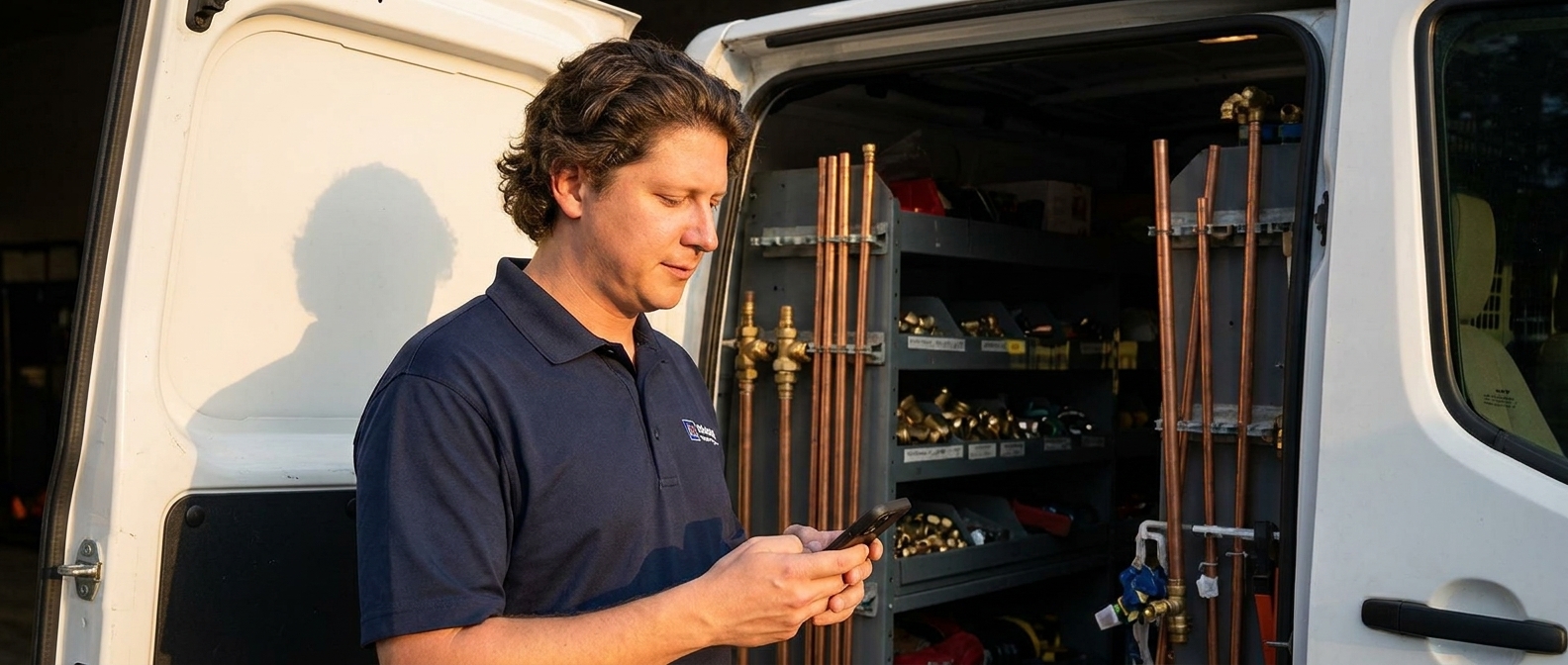
Plumbing customers scroll past your homepage because the first screen does not answer the question they arrived with. They want to know whether you handle their exact problem, whether you cover their town, whether you come out today, and how to call you — before they scroll. Most plumbing sites open with a stock photo and a slogan, which answers none of it.
Think about how somebody actually ends up on a plumber's website.
They are not browsing. Nobody browses for plumbers. Something is wrong — a drain that will not clear, a water heater making a noise it did not make last week, a wet patch spreading across a ceiling — and they have typed four words into a phone and started tapping results.
They are on your site for the length of a held breath. And in that time they are not admiring anything. They are looking for four facts.
Why do plumbing websites lose the customer on the first screen?
Because they are built to look like a company instead of built to answer a person with a problem.
Here is the pattern. Wide photo of a gleaming bathroom that is not one of your jobs. A headline reading Your Trusted Local Plumbing Professionals. A menu with eight items. Below that, three icons and the words Quality, Integrity, Service.
Nothing on that screen says whether you do water heaters. Nothing says which towns you cover. Nothing says whether anybody answers at nine at night. The phone number is grey, in the footer, at ten pixels, and it is not tappable.
So a homeowner standing over a drain with a phone in one hand does the only rational thing available. They go back and tap the next result — the one where a number and the word today were sitting right at the top.
Meanwhile you are paying a lead service twenty, thirty, forty dollars for the privilege of competing with three other plumbers for a customer who was already on your website and left. That is not marketing. That is a tax, and you pay it every month your own front door stays broken.
“Nobody browses for plumbers. They arrive mid-problem, and they give you about as long as it takes to read a road sign.”— Vincent Jordan
You already know what to say, too. You say it every time somebody asks what you do at a kid's birthday party. Drains, water heaters, repipes, all over Dayton and Kettering, and I answer my own phone. That is the hero section. Nobody wrote it down for you.
What does the top of a plumbing website need?
Five things, all visible before anybody scrolls.
| Piece | What it does | What it looks like |
|---|---|---|
| Who you are | Confirms a real local company, not a lead directory | “Copperline Plumbing” — your name, readable, top left |
| What you fix | Catches the specific problem they arrived with | “Drains, water heaters, leaks and repipes” — the words they typed |
| Where you work | The first thing they check, and the most-skipped item on the page | “Dayton, Kettering and Beavercreek” — towns, in words |
| When you answer | Plumbing is time-sensitive in a way most trades are not | “Same-day service · we answer nights and weekends” |
| How to reach you | Converts panic into a call while the phone is already in their hand | A tappable number and a booking button, side by side |
Two of those get botched constantly.
The phone number must be a real tappable link, not typed text. Your customer is standing next to the problem holding a phone. If they have to memorise ten digits, some of them will not.
Name the jobs the way customers name them. They search water heater not working, never tankless unit diagnostic. Words are also what search engines and AI assistants read back to somebody asking who fixes water heaters in Kettering.
And the availability line is the piece unique to your trade. A roofer does not need it in the hero. You do, because a leak has a clock on it.
Can AI build the hero section for you?
Yes — and this is the part agencies hope you never figure out. Designer Talk is an AI page builder that lets you build WordPress pages by describing them in plain English — no drag-and-drop, no design skills.
You describe it the way you would to a person standing next to you. It builds it. You say what is wrong. It fixes that.
Get started with Designer Talk today — build along as you read and the top of your site will be done before you finish this post.
One thing first: open Brand Settings and set your colors and font once. Every section afterwards comes out matching.
The prompts to type
Three steps. Build it, give it a photo, talk to it.
create a hero section for a plumbing company in dayton that does drains water heaters and leak repair, same day service, with a book now button and the phone number
Photos never go in the section prompt. Hit the + button in the section chat and choose Generate Image:
a clean utility room with new copper pipework and a water heater, warm light, no people
It saves to your Media Library. Click Insert, tell the section to use it as the hero background, then keep talking:
Make the phone number bigger and tappable.
Add a line that says we answer nights and weekends.
List Dayton, Kettering and Beavercreek as our service area.
If you have photos of your own work — a repipe, a clean install, your van — upload those instead. Click +, upload, Insert. Real work beats a generated room every time.
Common questions
Should I say I do emergency calls if I do not want 3am calls?
Then do not say emergency — say the hours you actually keep. “We answer until 9pm, seven days” is more useful than a vague “24/7” you will resent, and it filters out the calls you do not want before your phone rings.
Do I need prices in the hero?
No. A plumbing price depends on what is behind the wall. What belongs in the hero is a service call fee if you charge one, because that is the number people are actually nervous about.
What if I only do one thing, like drains?
Then say exactly that at the top. Narrow beats vague. The plumber who says “drains, that is all we do” gets called by every person with a drain problem and wastes no time on the rest.
Fix the front door
Every lead you buy is a customer who was already looking for a plumber. Some of them already found you, looked at your first screen, and could not tell in ten seconds whether you were the right call.
Five pieces, one screen. Open the builder and type the first prompt.
Describe the top of your page the way you’d say it at a kitchen sink — on a WordPress site you own.
Get Started Today