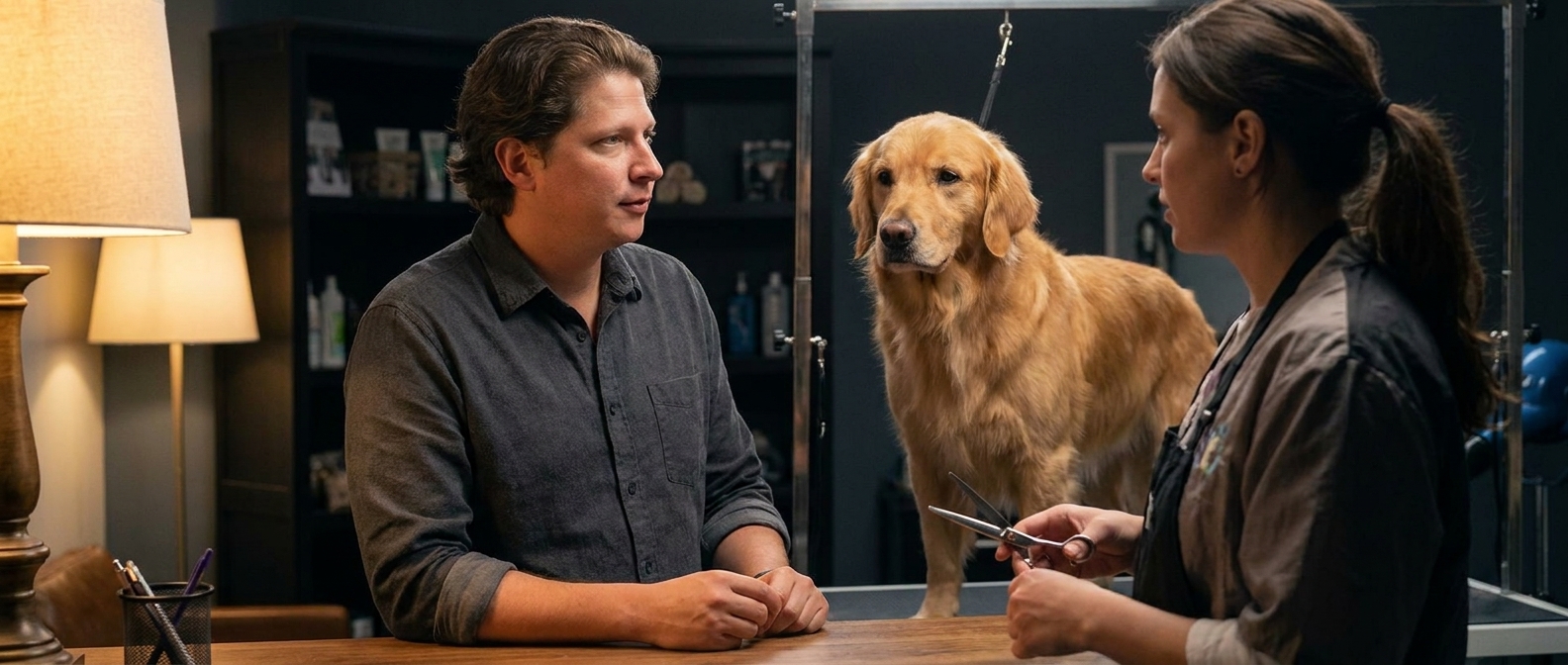
You can build a complete dog grooming website in an afternoon by describing each section in plain English to an AI page builder — no code, no drag-and-drop, no designer. Below is the full playbook: the seven sections a grooming salon actually needs, the exact prompts that build each one (copy and paste them), how to handle vaccination rules and size-based pricing on the page, what it costs compared to hiring out, and the questions groomers ask most.
Why grooming salons lose more time to the phone than to the dogs
Ask a groomer what eats their day and they won’t say the doodles. They’ll say the phone.
Because the phone rings all afternoon with the same six questions. How much for a golden retriever. Do you do nails only. Do you take senior dogs. What shots do you need. Are you open Mondays. Can I get in this week. And every one of those calls arrives while you’ve got a wet dog on the table and one hand on a dryer — so either you let it ring and lose the booking, or you stop, dry your hands, and answer a question you have answered nine hundred times.
Here’s the thing. Every one of those questions is a website’s job. Not a fancy website. A page that says, in plain words: this is what we charge by size, these are the shots we need, this is our schedule, here’s the button to book. Answer them once, in public, and the phone starts ringing only for the calls that are actually worth stopping for.
Instead, most salons are running on a Facebook page and a booking app. The Facebook page can’t hold a price list anyone can find. The booking app is a marketplace where you sit in a row of other salons, paying a monthly fee to be comparison-shopped by people who can see everyone’s openings at once. Stop paying it and your whole presence goes dark — the reviews, the photos, all of it. That’s not marketing — that’s a tax.
The version where you own your pipeline looks different. Somebody new in town searches “dog groomer near me” on a Sunday night, lands on your page, sees that a standard groom for a 60-pound doodle runs $95, sees that you need rabies and bordetella, sees a before-and-after of a matted spaniel that came out looking like a show dog, and books Thursday at 10. They arrive knowing the price, carrying the vaccination records, with a realistic idea of what their dog will look like. No phone call. No surprise at pickup. So why doesn’t every salon have that page? The agency wanted $3,000, the DIY builders eat the evenings you spend recovering from eight grooms, and it became a someday project. In 2026, someday is an afternoon.
Can AI really build a dog grooming website?
Yes — and the only skill it needs is the one you use on every intake: describing what you’re going to do in plain words. Designer Talk is an AI page builder that lets you build WordPress pages by describing them in plain English — no drag-and-drop, no design skills. You describe a section the way you’d explain a groom to a nervous owner — “a pricing section with our rates by dog size and a note that matted coats cost extra” — and it appears in a live preview. Too plain? Say so. Want the vaccination note higher up? Say that. Each section is its own conversation, so you shape it until it sounds like your salon.
What you get is a real WordPress site on your own domain, built around your prices, your policies, and your before-and-afters, with a booking button pointed wherever you want it.
Get started with Designer Talk today and build along as you read — every prompt below is copy-paste, and the whole build is an afternoon.
“Every question you answer on the phone at 2pm is a question your website should have answered at midnight.”— Vincent Jordan
What does a dog grooming website actually need?
Not twenty pages. Seven sections, in this order, each one killing a phone call:
| # | Section | Why it matters for a grooming salon |
|---|---|---|
| 1 | Header with a “Book a Groom” button | The site exists to fill the table. Keep that button on every scroll so an owner can act the second they’ve decided, instead of hunting for a phone number. |
| 2 | Hero naming what you groom and where | “Full-service dog grooming in West Omaha — small breeds to giants” beats “Pampering your pet since 2015.” Owners need to know in two seconds that you’re close and that you take their dog. |
| 3 | Services & pricing by size and coat | The number one call you get. Publish ranges by weight or breed group, list add-ons, and say plainly that matting and behavior can change the price. Ranges end the guessing without boxing you in. |
| 4 | Meet the groomers | Owners are handing over a family member to a stranger with clippers. Names, faces, years of experience, and any certifications turn “a salon” into “Nora, who’s been doing this eleven years.” |
| 5 | Before & after gallery | The most persuasive thing you own. A matted rescue on the left and a clean, happy dog on the right sells better than any adjective — and it sets realistic expectations about what a shave-down looks like. |
| 6 | New-client info: vaccinations, drop-off, what to expect | Rabies and bordetella requirements, your drop-off window, how long a groom takes, your late and no-show policy. This section prevents the two worst days: the dog turned away at the door, and the owner surprised at pickup. |
| 7 | Hours, location & booking | “Are you open Mondays and can I get in this week?” Answer it plainly, with parking and where to come in, then hand them straight to the booking button. |
That’s the whole site. One page, seven sections, doing the thing your voicemail can’t: answering every routine question at midnight, while you’re asleep.
The exact prompts to type (copy and paste these)
These are real prompts, in build order, for a fictional salon — Riverbend Pet Grooming, run by Nora Whitfield, in Omaha, Nebraska, doing full grooms, baths, and nail work for all sizes. Swap in your salon, your town, your services, and your prices, and type them into Designer Talk one at a time. Your site won’t look like anyone else’s — the AI designs each section fresh — but it’ll match what you asked for.
Two things before you type the first one. First, open Brand Settings and set your colors and font once — every section after that comes out already matching, which is why none of these prompts mention colors. Second, photos never go in section prompts: the layout builds with placeholders. Your hero can be a generated shot to hold the spot, but your before-and-afters must be your own real dogs — I’ll show you both flows below.
create a header for Riverbend Pet Grooming — links to Services, Groomers, Gallery, and New Clients, and a Book a Groom button on the right. friendly and clean.
create a hero section for Riverbend Pet Grooming in Omaha — headline Full-Service Dog Grooming in West Omaha, a line that we groom every size from tiny to giant and take our time with nervous dogs, and one Book a Groom button.
Now the hero photo. Two honest options: upload a wide shot of your actual shop or a dog you’ve groomed (+ → upload → Insert), or generate something to hold the spot until you shoot one. Hit the + button, choose Generate Image, and describe it:
A bright clean pet grooming salon with a stainless steel grooming table, brushes and clippers laid out, a bathing tub in the background, soft natural light, no people.
It saves straight to your Media Library. Click Insert and tell the section “use this as the hero background.” Swap in a photo of your own shop the first quiet morning you get.
create a services and pricing section — full groom by size, small under 20 lbs $65, medium $80, large $95, giant $120, plus bath and brush $45, nail trim $15, de-shed treatment $25, and a note that heavy matting or difficult behavior may add to the price.
create a meet the groomers section with two cards — each with a photo, a name, years of experience, what breeds they love working with, and any certifications.
create a gallery section showing before-and-after pairs — each with a before photo, an after photo, and a short caption with the dog name and the service.
Then fill it with your own real dogs: + → upload your before and after shots → Insert into each slot. Ask the owner first — most are thrilled and will share the post — and never AI-generate a “before and after,” because the entire thing you’re selling is that the transformation is really your work. A phone camera against a plain wall is plenty.
create a new clients section — we need proof of rabies and bordetella, drop-off is between 8 and 9:30 am, most grooms take three to four hours, please tell us about any health or anxiety issues, and 24 hours notice for cancellations.
create an hours and location section — our address in West Omaha, a map, hours Tuesday to Saturday 8 to 5, closed Sunday and Monday, our phone (402) 555-0184, a note about parking behind the building, and a big Book a Groom button.
Seven short prompts. Read them back — there’s nothing technical in a single one of them. And nothing is final: every section is a conversation, so when something isn’t right, you just say so:
Move the vaccination requirements higher, right under the pricing.
Make the before-and-after photos bigger.
Add a line that we are a cage-free salon.
That’s the entire “how,” and it’s the part the booking marketplaces hope you never figure out.
Two tips from watching a lot of these builds: publish price ranges even though every dog is different — “$65–$120 depending on size, more for heavy matting” ends the phone call without committing you to a number you’ll regret. And put the vaccination requirement somewhere impossible to miss — every dog turned away at your door is a wasted slot for you and a ruined morning for them.
What does a dog grooming website cost in 2026?
| Option | Upfront cost | Ongoing cost | Time to launch | Who does the work |
|---|---|---|---|---|
| Web design agency | $2,000–$6,000 | $50–$200/mo maintenance | 3–6 weeks | Them — and every price change is an invoice |
| Freelancer | $700–$2,500 | Varies | 2–4 weeks | Them — quality and availability vary |
| Wix / Squarespace | $0 | $192–$588/yr, forever | Days–weeks | You, with drag-and-drop, on their platform |
| Booking-app profile only | $0 | Monthly software fee plus processing, forever | Minutes | A listing on their marketplace, beside every other salon |
| AI page builder + WordPress hosting | A fraction of an agency build | Standard WordPress hosting | An afternoon | You, by describing what you want |
The honest comparison isn’t the money — it’s who owns the relationship. A booking marketplace rents you a slot next to every other salon in town. A platform builder rents you the site for as long as you keep paying. The site you built by describing it is yours: your prices, your policies, your before-and-afters, your domain — and when you raise the large-dog rate or add Sunday hours, that’s one sentence typed into a chat box.
Common questions
Do I need to know WordPress or any code?
No. Designer Talk runs inside WordPress, but building is entirely conversational — you describe sections, watch them appear in a live preview, upload your photos, and publish. If you can walk an owner through what their dog’s groom will involve, you can describe a section of a webpage.
How do I post prices when every dog is different?
Post ranges, not promises. Price by weight or breed group, list your add-ons at fixed rates, and state plainly that heavy matting, double coats, or a dog who fights the process can add to the price. Owners aren’t looking for a guarantee — they’re looking for a ballpark so they know you’re not out of reach. Vagueness makes people assume expensive.
Where do vaccination requirements go?
In their own new-client section, and mentioned again near the booking button. Rabies and bordetella are the usual minimum, but follow your state and your insurer. Say exactly what proof you accept and how to send it ahead of time. A dog turned away at the door costs you a full slot you can’t refill that morning.
Can clients book online?
Yes — the simplest route is to point every Book a Groom button at whatever scheduling system you already use, so your calendar, reminders, and deposits keep working unchanged. If you’d rather keep booking on your own site, it’s normal WordPress underneath, so a booking plugin drops into a section via shortcode.
What photos should I use?
Your own before-and-afters, with the owner’s permission — that’s the section that books people. Shoot against a plain wall in good light, get the whole dog in frame, and keep the pairs matched. Never AI-generate a “client dog,” because the transformation being genuinely yours is the entire pitch. Use the generator for the room or a background only.
Should I say something about anxious or senior dogs?
Yes, and it’s one of the highest-value paragraphs on the site. Owners of nervous, elderly, or reactive dogs have usually had a bad experience somewhere and are searching specifically for a groomer who will say out loud that they go slow, work cage-free, or split a groom across visits. If that’s you, say so plainly — those clients are loyal for life.
Will it help me show up on Google?
The builder includes an SEO optimization step that adds descriptive alt text, structures your headings, and generates schema markup. Beyond that, name your service and your area in plain words — “dog grooming in West Omaha” is a real search — and set up a Google Business Profile, since most “groomer near me” taps land in the map results.
How long does this actually take?
Budget an afternoon: about an hour building and refining the seven sections, and the rest on the two things worth doing slowly — choosing your best before-and-after pairs and writing your pricing and vaccination policy so they read clearly. Both are decisions only you can make, and both answer the phone for you afterward.
Build it on a closed Monday
The seven prompts above are the whole playbook. Copy them, swap in your salon and your rates, upload the transformations you’re proudest of, and the site can be live before next week’s bookings open. The phone will still ring — but for scheduling, not for the same six questions. Stop paying rent on your own customers, and let the page do the talking while your hands are full.
Seven prompts, your real before-and-afters, and a Book a Groom button that fills the table — on your own WordPress install.
Get Started Today